SensorThings Flink data prep
The final step of getting our weather station data into FROST server is to cleanup the data from Home Assistant that looks like this:
{
  "entity_id": "sensor.ha_weather_pm2_5_concentration",
  "state": "31.0",
  "attributes": {
    "state_class": "measurement",
    "unit_of_measurement": "μg/m³",
    "device_class": "pm25",
    "friendly_name": "HA Weather Station PM2.5 Concentration"
  },
  "last_changed": "2025-11-15T08:02:42.294528+00:00",
  "last_reported": "2025-11-15T08:02:42.294528+00:00",
  "last_updated": "2025-11-15T08:02:42.294528+00:00",
  "context": {
    "id": "01KA38KCFPXMC9VCMB2FT568YH",
    "parent_id": null,
    "user_id": null
  }
}
Into the the observations format SensorThings needs, that looks like this:
{
  "result" : 21,
  "Datastream": {"@iot.id": 1}
}
And then send the data to the SensorThings API endpoint.
We can do this with Flink in Confluent Cloud by writing some SQLs and then setup an HTTP Sink Connector:
SQLs
Step 1, create an output table that will convert nicely back to the JSON we need:
CREATE TABLE sensorthings_observations (
  `result` VARCHAR
  , `Datastream` ROW<
    `@iot.id` INTEGER
  >
)
DISTRIBUTED INTO 1 BUCKETS
WITH (
  'value.format' = 'json-registry'
);
Step 2, reformat the data and assign the correct Datastream id:
Since I have one weather station and am in a hurry, I skipped doing it the proper way with a lookup table and just used a CASE statement. Also, to avoid annoying conversion errors like random base64 values, I’m sending all numbers as VARCHAR:
INSERT INTO `sensorthings_observations`

WITH p AS (
  SELECT
    JSON_VALUE(CAST (`val` AS VARCHAR), '$.state')  AS `state`
    , CASE
        WHEN JSON_VALUE(CAST (`val` AS VARCHAR), '$.entity_id') = 'sensor.ha_weather_bmp280_temperature' THEN 1
        WHEN JSON_VALUE(CAST (`val` AS VARCHAR), '$.entity_id') = 'sensor.ha_weather_humidity' THEN 2
        WHEN JSON_VALUE(CAST (`val` AS VARCHAR), '$.entity_id') = 'sensor.ha_weather_atmospheric_pressure' THEN 3
        WHEN JSON_VALUE(CAST (`val` AS VARCHAR), '$.entity_id') = 'sensor.ha_weather_wind_speed' THEN 4
        WHEN JSON_VALUE(CAST (`val` AS VARCHAR), '$.entity_id') = 'sensor.ha_weather_pm2_5_concentration' THEN 5
        ELSE -1
      END AS `iot_id`
  FROM `weather-2060`
)

SELECT
  `state` AS `result`
  , ROW(`iot_id`) AS `Datastream`
FROM p
WHERE
  `iot_id` > 0 AND `state` <> 'unavailable' AND `state` <> 'unknown';
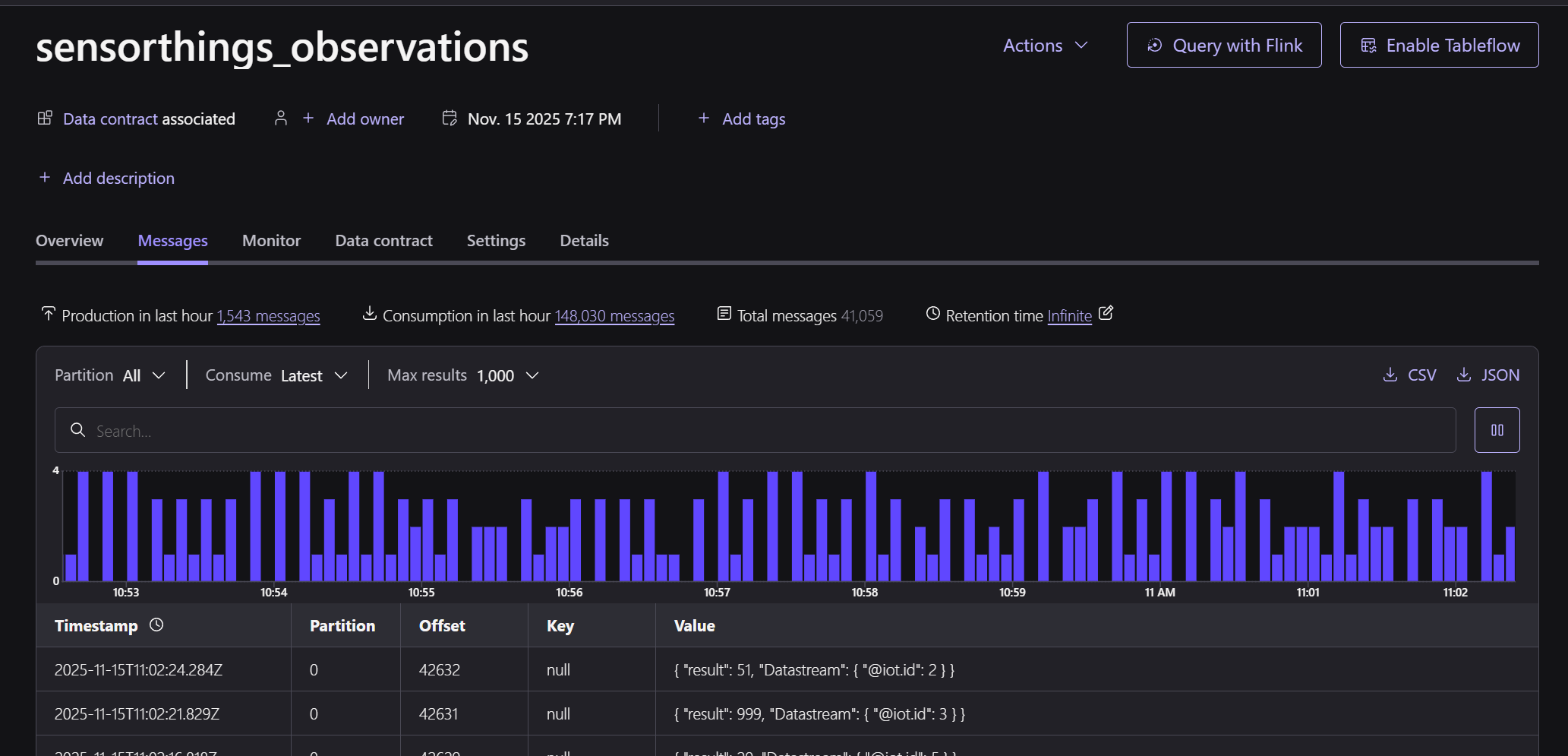
Checking the data in the output topic sensorthings_observations, it looks fine:
Connector
The final step is to configure a HTTP Sink Connector instance, this config works nicely:
{
  "auth.type": "BASIC",
  "batch.json.as.array": "false",
  "cloud.environment": "prod",
  "cloud.provider": "aws",
  "connection.password": "****************",
  "connection.user": "write",
  "connector.class": "HttpSink",
  "http.api.url": "https://frost.declarativesystems.com/FROST-Server.MQTTP-2.6.2/v1.1/Observations",
  "https.ssl.key.password": "",
  "https.ssl.keystore.password": "",
  "https.ssl.keystorefile": "",
  "https.ssl.truststore.password": "",
  "https.ssl.truststorefile": "",
  "input.data.format": "JSON_SR",
  "input.key.format": "BYTES",
  "kafka.auth.mode": "SERVICE_ACCOUNT",
  "kafka.endpoint": "SASL_SSL://pkc-xxxxxx.ap-southeast-2.aws.confluent.cloud:9092",
  "kafka.region": "ap-southeast-2",
  "kafka.service.account.id": "sa-xxxxxx",
  "name": "geoff-frost",
  "oauth2.client.secret": "",
  "request.body.format": "json",
  "sensitive.headers": "",
  "tasks.max": "1",
  "topics": "sensorthings_observations",
  "value.converter.decimal.format": "NUMERIC"
}
Key connector settings:
- Don’t send an array of data, it won’t work
- Don’t let the connector convert decimals to base64
- Don’t typo your password
- Make sure to use
httpsfor the URL if going through cloudflare tunnel, otherwise something in the stack will turn your request intohttpsfor you and also convert to aGETinstead ofPOST
Connector troubleshooting tips:
tcpdumpis a good way to spy on what the connector is sending if its still not working.tailthe tomcat access logs to make sure you are getting code201(created)
If you see a stream of 201 messages in the access log like this its working:
0:0:0:0:0:0:0:1 - - [15/Nov/2025:11:44:54 +0000] "POST /FROST-Server.MQTTP-2.6.2/v1.1/Observations HTTP/1.1" 201 -
0:0:0:0:0:0:0:1 - - [15/Nov/2025:11:44:57 +0000] "POST /FROST-Server.MQTTP-2.6.2/v1.1/Observations HTTP/1.1" 201 -
0:0:0:0:0:0:0:1 - - [15/Nov/2025:11:45:02 +0000] "POST /FROST-Server.MQTTP-2.6.2/v1.1/Observations HTTP/1.1" 201 -
0:0:0:0:0:0:0:1 - - [15/Nov/2025:11:45:02 +0000] "POST /FROST-Server.MQTTP-2.6.2/v1.1/Observations HTTP/1.1" 201 -
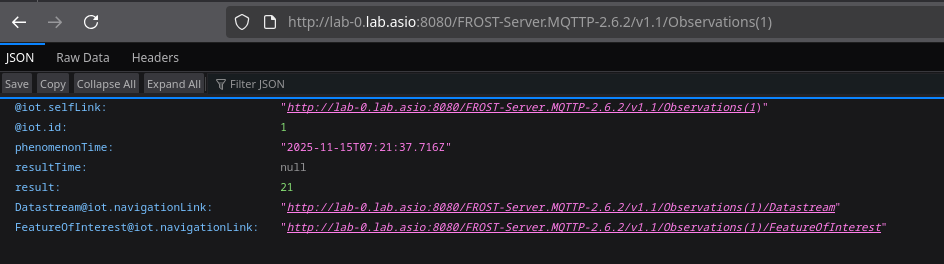
If you now look at the /Observations endpoint with your browser, you should see a growing list of observations:
Summary
We now have a publicly available, standards compliant, real weather station running on the coffee table, hooked up to an enterprise grade Kafka solution, which cleans up and publishes a data product to a Raspberry Pi on the shelf that anyone in the world can access via CloudFlare… cool!
Post comment